Chubut: inició la pavimentación de la RN1S 40
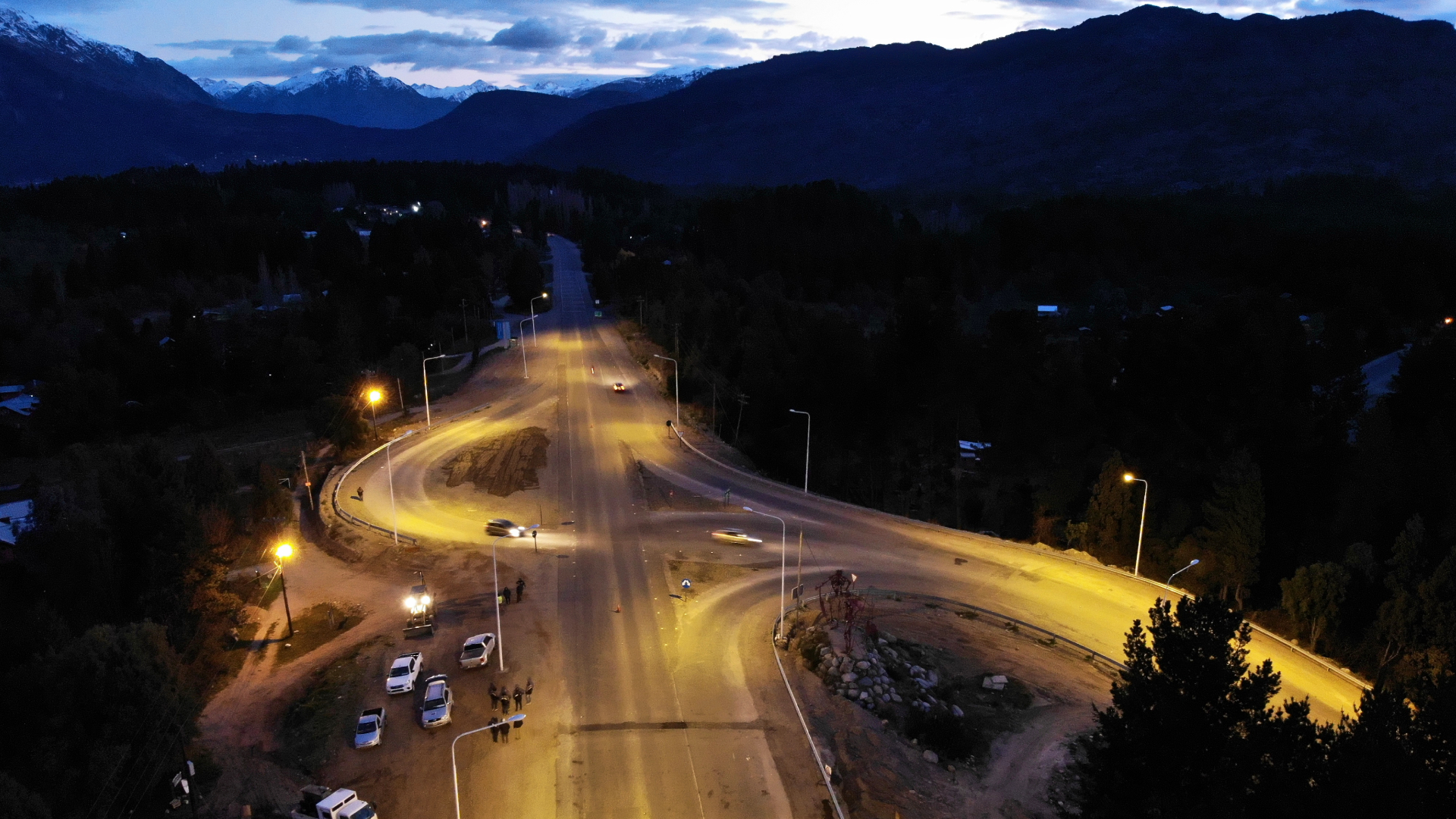
Chubut: nueva iluminación sobre la RN40 | Argentina.gob.ar

Se trata de un tramo de 19 kilómetros que actualmente es de ripio en el acceso a El Maitén, entre los empalmes de las RN40 y RP70, el cual será ejecutado íntegramente con personal y equipos propios del 13° Distrito Chubut.

Los trabajos se iniciaron esta semana con el movimiento de suelos, la limpieza de banquinas y de zona de caminos, y con el despliegue de maquinaria vial pesada y técnicos que realizan la topografía del sector en obra, que en esta primera etapa abarca una longitud de cinco mil metros.

Esta es una obra postergada hace mucho tiempo, que los vecinos de El Maitén vienen reclamando hace muchos años y que en 2020 se logró reactivar luego de un avanzar en un acuerdo con el Intendente Currilén.

La obra será ejecutada en su totalidad por Administración, es decir con agentes y equipos propios del distrito Chubut, algo muy importante porque hacía muchos años que Vialidad Nacional no encaraba una obra de estas características, y que representa un gran desafío, de volver a confiar en la calidad técnica y profesional del organismo.

El tramo que estará en obra abarca 19 kilómetros de ripio, desde el empalme de la RN40 hasta el empalme con la RP70. Se trata de un camino de mucha utilidad para el turismo que visita este sector del noroeste de Chubut, pero también para el traslado de la producción agrícola-ganadera, de fruta fina, y de la industria forestal y sus derivados hacia el norte del país.

Fuente de la informacion:

https://www.argentina.gob.ar/noticias/chubut-inicio-la-pavimentacion-de-la-rn1s-40


Fatal error: Uncaught Exception: Could not connect to the database. Please refer to suitecrm.log for details. in H:\root\home\rentaweb-001\www\suitecrm\suitecrm\include\utils.php:1762 Stack trace: #0 H:\root\home\rentaweb-001\www\suitecrm\suitecrm\include\database\MysqliManager.php(290): sugar_die() #1 H:\root\home\rentaweb-001\www\suitecrm\suitecrm\include\database\DBManagerFactory.php(147): MysqliManager->connect() #2 H:\root\home\rentaweb-001\www\suitecrm\suitecrm\include\entryPoint.php(179): DBManagerFactory::getInstance() #3 H:\root\home\rentaweb-001\www\suitecrm\suitecrm\index.php(47): require_once('H:\\root\\home\\re...') #4 {main} thrown in H:\root\home\rentaweb-001\www\suitecrm\suitecrm\include\utils.php on line 1762
IIS 10.0 Detailed Error - 500.0 - Internal Server Error

HTTP Error 500.0 - Internal Server Error

c:\php74\php-cgi.exe - The FastCGI process exited unexpectedly

Most likely causes:

  • IIS received the request; however, an internal error occurred during the processing of the request. The root cause of this error depends on which module handles the request and what was happening in the worker process when this error occurred.
  • IIS was not able to access the web.config file for the Web site or application. This can occur if the NTFS permissions are set incorrectly.
  • IIS was not able to process configuration for the Web site or application.
  • The authenticated user does not have permission to use this DLL.
  • The request is mapped to a managed handler but the .NET Extensibility Feature is not installed.

Things you can try:

  • Ensure that the NTFS permissions for the web.config file are correct and allow access to the Web server's machine account.
  • Check the event logs to see if any additional information was logged.
  • Verify the permissions for the DLL.
  • Install the .NET Extensibility feature if the request is mapped to a managed handler.
  • Create a tracing rule to track failed requests for this HTTP status code. For more information about creating a tracing rule for failed requests, click here.

Detailed Error Information:

Module   FastCgiModule
Notification   ExecuteRequestHandler
Handler   Custom-PHP5-FastCGI-php
Error Code   0xc0000374
Requested URL   http://www.suitecrm.rent-a-web.biz:80/index.php?isPost=0&enableHead=0&requestScheme=http&requestHost=chile.transmaquina.com&requestPath=%252Funcategorized%252Fchubut-inicio-la-pavimentacion-de-la-rn1s-40%252F&auth_code=gvfghbghifFGH546BUJYRF5&postName=chubut-inicio-la-pavimentacion-de-la-rn1s-40&entryPoint=RentAWebEntryPoint&action=Services&view=relatedList&custom_request_path=categorias%2Falquiler-de-elevadores-de-personal-manlifts-or-personnel-elevators%2Falquiler-de-elevador-personnel-elevator-brazo-articulado&list_title=+Alquiler+de+Elevador+%28Personnel+Elevator%29+Brazo+Articulado&max_items=20&custom_template=accordion
Physical Path   h:\root\home\rentaweb-001\www\suitecrm\suitecrm\index.php
Logon Method   Anonymous
Logon User   Anonymous

More Information:

This error means that there was a problem while processing the request. The request was received by the Web server, but during processing a fatal error occurred, causing the 500 error.

View more information »

Microsoft Knowledge Base Articles:

  • 294807

Fatal error: Uncaught Exception: Could not connect to the database. Please refer to suitecrm.log for details. in H:\root\home\rentaweb-001\www\suitecrm\suitecrm\include\utils.php:1762 Stack trace: #0 H:\root\home\rentaweb-001\www\suitecrm\suitecrm\include\database\MysqliManager.php(290): sugar_die() #1 H:\root\home\rentaweb-001\www\suitecrm\suitecrm\include\database\DBManagerFactory.php(147): MysqliManager->connect() #2 H:\root\home\rentaweb-001\www\suitecrm\suitecrm\include\entryPoint.php(179): DBManagerFactory::getInstance() #3 H:\root\home\rentaweb-001\www\suitecrm\suitecrm\index.php(47): require_once('H:\\root\\home\\re...') #4 {main} thrown in H:\root\home\rentaweb-001\www\suitecrm\suitecrm\include\utils.php on line 1762

Deja una respuesta

Tu dirección de correo electrónico no será publicada.